Skip to content
FinOps

AI FinOps: budgets, chargeback and FOCUS exports

AI FinOps is the practice of making AI spend visible, attributable and controllable. Skyfix applies it at the gateway, where spend is created: budgets are checked before dispatch, every request is attributed to a team, cost center or end user, and the same ledger that proves a decision also prices it.

  • Budgets at the gateway
  • Chargeback and showback
  • FOCUS exports
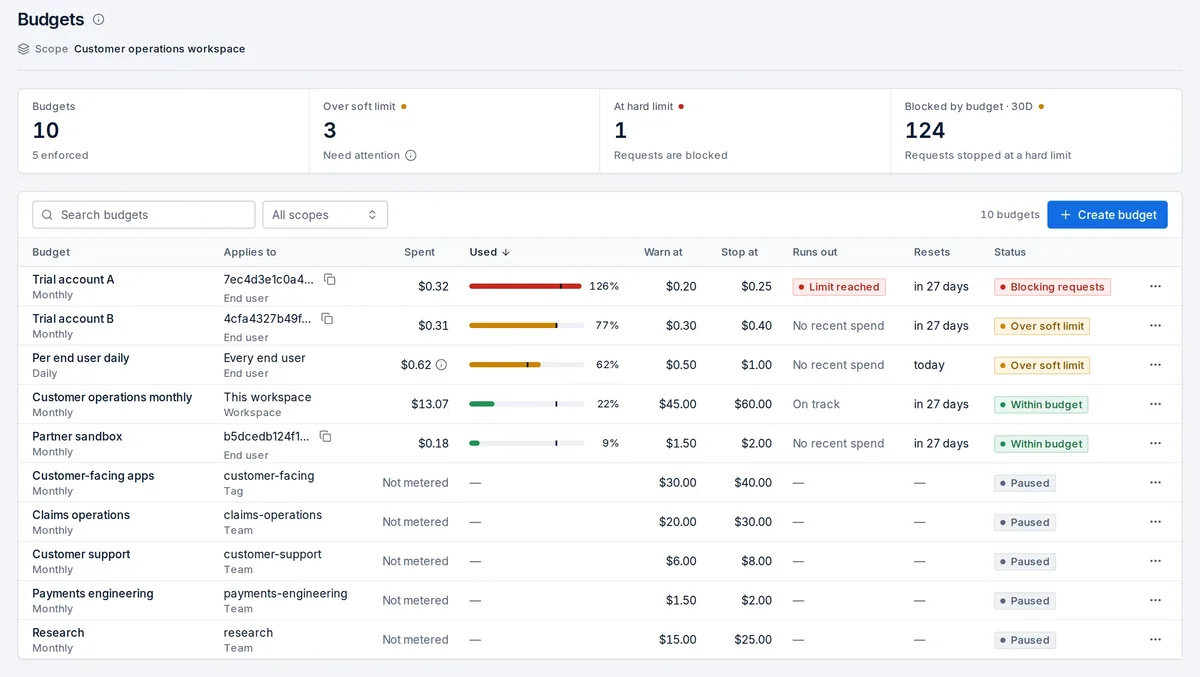
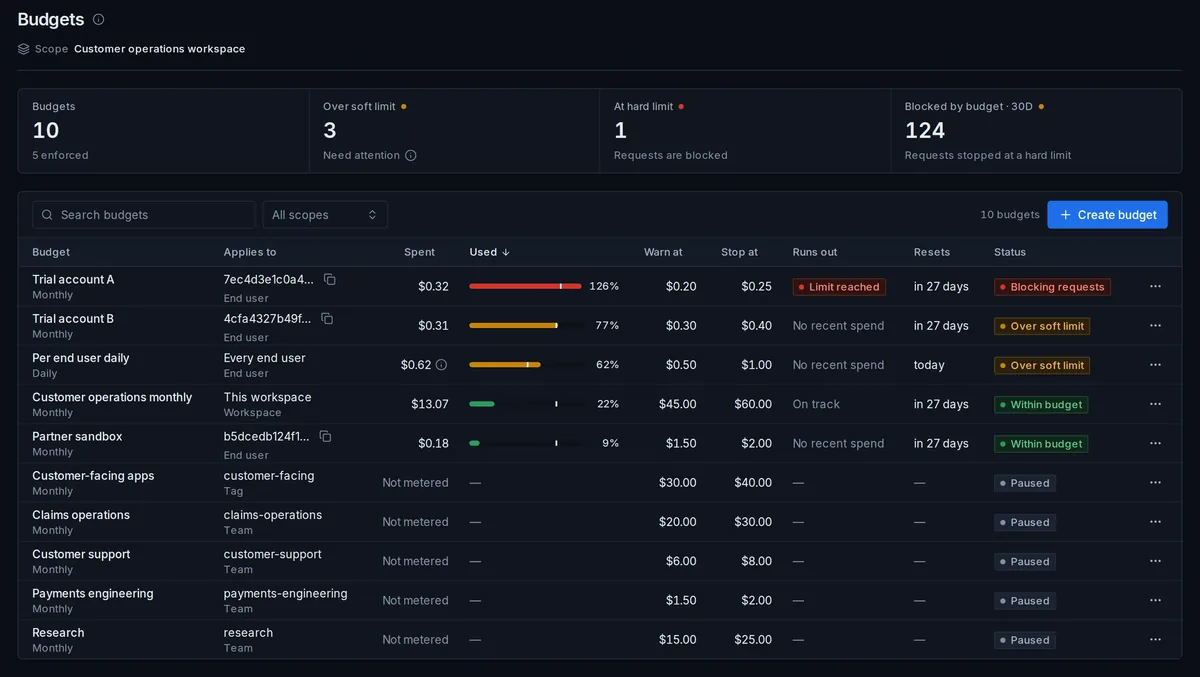
The FinOps › Budgets page in the Skyfix console: ten budgets, five enforced, three over their soft limit, one at its hard limit with requests blocked, 124 requests stopped at a hard limit in the last 30 days, and the budget table with each budget's scope, spend, warn and stop limits, run-out forecast and status.The FinOps › Budgets page in the Skyfix console: ten budgets, five enforced, three over their soft limit, one at its hard limit with requests blocked, 124 requests stopped at a hard limit in the last 30 days, and the budget table with each budget's scope, spend, warn and stop limits, run-out forecast and status.
Budgets enforced at the gateway. Budgets with warn and stop limits; requests over a hard limit are stopped before dispatch.Illustrative synthetic data

One control plane

Where this sits in the request path

The budget gate sits between inspection and routing, so an over-budget request never reaches a provider and never appears on an invoice.

  1. Identity

  2. Policy

  3. AI Firewall

  4. Budget

  5. Route

  6. Evidence

01

Attribution you can enforce

Chargeback fails when requests arrive without an owner. Skyfix makes attribution a precondition of dispatch: API keys carry tags such as team, cost center and application, workspaces can require metadata keys on every request, and a request missing a required key is refused before it costs anything. End users are identified per request, so a shared application key still produces per-person usage.

Attribution follows the request through MCP tool calls, A2A tasks, skill steps and batch lines, because each of those is a governed request with the same key, tags and trace ID. Finance exports are therefore complete rather than best effort.

  • Required metadata keys per workspace; unattributed requests are refused, not estimated later.
  • Key tags read by both policy and FinOps, so the same label that scopes a key also allocates its cost.
  • End-user identity on every request for per-person usage and per-user budgets.

02

Chargeback and showback

  • Dimensions
  • Downloads

The cost cockpit groups spend by workspace, team, key, model alias, provider, tag, workflow and end user, over any window. Showback views let a platform team publish what each consumer used; chargeback exports carry the same lines to the finance system of record. Costs are computed from a maintained per-model pricing catalog, and lines whose token pricing is incomplete are flagged rather than silently priced at zero.

03

Unit costs

A total is not an answer to 'what does this cost us per customer?'. Skyfix computes unit costs per session, per workflow run, per tool call and per end user from the same ledger lines, so a product team can see the cost of one support conversation or one agent run, including the tool calls inside it. Cache hits, routing to a lower-cost allowed model and promotional pricing show up as their own lines, so avoided spend is recorded rather than estimated.

  • Per session: what one conversation cost across every model and tool call in it.
  • Per workflow run: the cost of one agent run, including retries and compensation steps.
  • Per end user: what one person consumed through a shared application key.

04

Reconciling with provider billing

Gateway costs are estimates computed from the catalog at the time of each request. When the amount a provider actually bills differs from the gateway estimate, the cost view shows the difference per model, so finance reconciles a known gap rather than discovering one at quarter end. Requests whose token pricing is incomplete are counted and flagged rather than silently priced at zero, and spend that arrives without an agent, workflow or tag attached is called out as unattributed.

05

Price catalog and promotions

Per-model prices come from a maintained catalog, so a new model is priced the moment it is allowed. Promotional rates and the savings they produced are recorded as separate lines against the list price, which keeps the finance view honest: a discount is visible as a discount, not as a mysteriously low total.

06

FOCUS exports

  • FOCUS 1.4

Costs export in the FinOps Open Cost and Usage Specification (FOCUS 1.4) format alongside a price sheet, as CSV and JSON Lines. FOCUS lines slot into the FinOps tooling you already run for cloud spend, so AI becomes one more column in the same report rather than a separate spreadsheet.

07

Budgets in the request path

Budgets apply to workspaces, teams, workflows, end users and tags, each with a warn threshold and a stop threshold. They are strict by default: a request that would exceed a hard limit is stopped at the gateway and recorded as blocked by budget, with the trace ID and the policy result that stopped it. A run-out forecast shows when a budget will be exhausted at the current rate, and governance alerts route to chat, email or webhooks as limits approach.

FAQ

Questions this page answers

What is AI FinOps?

AI FinOps applies FinOps practice to AI usage: attributing every request to an owner, enforcing budgets, computing unit costs and exporting spend in a standard format. Skyfix does this at the gateway, so the controls run before spend happens rather than in a report that arrives later.

How is AI spend attributed to teams and cost centers?

Through key tags, required request metadata and end-user identity. A workspace can refuse requests that lack a required key, so every ledger line carries a team, cost center or application, and the cost cockpit groups by those dimensions.

Which FOCUS version is exported?

FOCUS 1.4, the FinOps Open Cost and Usage Specification, as CSV and JSON Lines, together with a price sheet.

How are promotional prices and savings recorded?

As separate lines against the catalog list price. The discount and the resulting savings are visible on their own, as are savings from cache hits and from routing to a lower-cost allowed model.

Do MCP and agent calls count toward budgets?

Yes. MCP tool calls, A2A tasks, skill steps and batch lines are governed requests that draw from the same workspace, team, workflow and end-user budgets as model calls.