
Can Skyfix run on-prem or air-gapped?
Yes. It installs with Helm into a Kubernetes cluster you operate, the release channel can be left unset, and upgrades, detection packs and router heads are applied from signed manifests verified offline.
Skyfix is an enterprise edition installed where your data already lives: your Kubernetes cluster, your PostgreSQL, your cache and your secrets store, with every trust anchor under your own root. No request depends on Arka AI Labs infrastructure, and egress is opt-in.
One control plane
The whole pipeline runs inside your installation. No request depends on Arka AI Labs infrastructure.
Identity
Policy
AI Firewall
Budget
Route
Evidence
Every stage runs in your installation
01
Skyfix installs with one Helm chart into a Kubernetes cluster you operate. The control plane, the enterprise console and the gateways run as workloads in that cluster; request data, evidence and audit records live in a PostgreSQL you run; the cache and the secrets store are yours as well. The chart ships no third-party subcharts and takes no secret values: it renders no Secret object, and credentials come from objects you create and control.
That is a deliberate boundary. Nothing in the platform needs an account with us, a license server, a hosted control plane or a call home to start, to serve traffic or to upgrade.
02
Every signing purpose, from policy bundles and gateway directives to evidence checkpoints, detection packs, router heads and experiment evidence, is a key under one installation root held in your secrets store. Private keys never leave it, nothing is baked into the images, and a signed export can be verified offline by anyone who holds your installation's root fingerprint and nothing else.
03
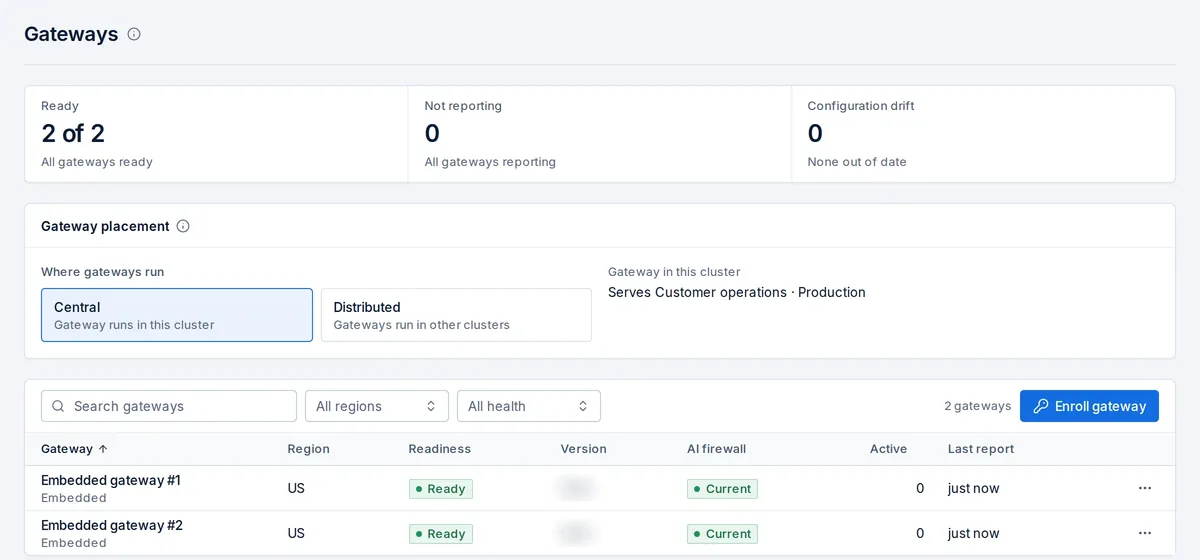
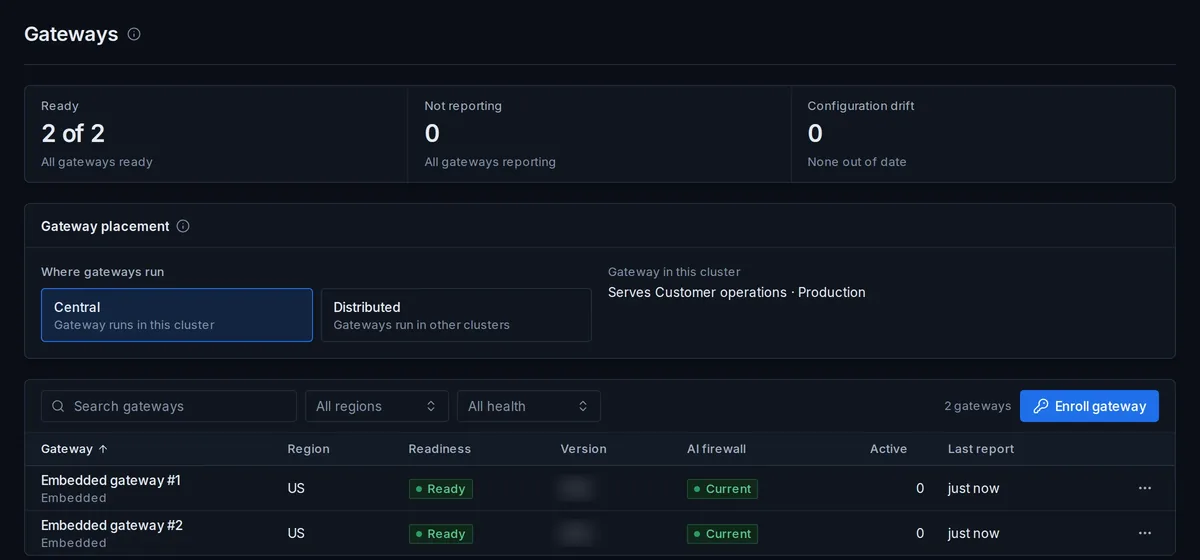
Gateways enroll with a SPIFFE-bound identity, serve the environment they are assigned, and report readiness, version, AI Firewall version and configuration drift in signed heartbeats. Placement can be central, with gateways in the control-plane cluster, or distributed, with gateways in other clusters closer to the applications they serve; either way each gateway authorizes requests from the bundle it verified locally, and the control plane never dials a gateway.
04
One installation serves many teams. Workspaces separate teams, keys, budgets, policies and evidence; environments such as production and staging separate what those workspaces run, with their own gateways, aliases and limits. A gateway serves the environment it is assigned to and only the workspaces admitted to it, so a staging key cannot reach a production gateway by accident, and a tool server can be admitted to the gateways of one environment and not another. Promotion between environments is a governed change with dependency checks, not a copy.
05
Network policies deny by default. Private destinations must be allowlisted, outbound traffic can be limited to approved addresses, telemetry export goes only to collectors you configure, and metrics push is off until you turn it on. Model providers outside your network are reached only because you configured them, over HTTPS, with credentials from your secrets store. Request content, evidence and audit never leave the boundary unless you export them.
06
The release channel can be left unset. Upgrades are applied by uploading a signed release manifest that the installation verifies strictly, offline, before anything is pulled or applied. Detection packs for the AI Firewall and router heads for Garuda arrive the same way, as signed artifacts you verify and re-sign.
07
Upgrades run in place with a Helm upgrade to a bumped version. Minor releases use expand-only database migrations, so images can roll back to the previous minor version without a database restore. A gateway that receives a bundle it cannot verify keeps its last good one and reports the drift, so a partial upgrade is visible rather than silent.
08
Backup restore procedures and the high-availability topology are planned with your team per installation, against the clusters, storage classes and recovery objectives you actually run.
Backup restore and high-availability topology are planned with you per installation.
FAQ
Yes. It installs with Helm into a Kubernetes cluster you operate, the release channel can be left unset, and upgrades, detection packs and router heads are applied from signed manifests verified offline.
No. Gateways authorize each request against a signed policy bundle they verify locally, evidence is written to your own database, and telemetry goes only to collectors you configure. There is no hosted control plane and no call home.
A PostgreSQL database, a cache and a secrets store, all external to the chart and operated by you. The chart renders no Secret and takes no secret values.
By uploading a signed release manifest in the console. The installation verifies it offline, then the Helm upgrade to the bumped version runs in place; recent minors roll back to the previous minor without a restore.
In your installation's secrets store, under one installation root. Bundles, directives, evidence, detection packs and router heads are all signed there, and no vendor key is built into the images.