An AI firewall inspects the content of model, tool and agent traffic, not just who sent it. The Skyfix AI Firewall runs inline on prompts, responses, streams, MCP tool calls and A2A messages, blocks prompt injection, redacts secrets and personal data, and does it before a model or a caller sees the content.
Every hop inlinePrompts, responses, streamed chunks, MCP arguments and results, and A2A messages pass the same inspection.
Block, redact or monitorEach protection is set per workspace to block the content, redact the matched data or record a finding.
Signed detection packsDetection content ships as signed, versioned packs your installation verifies and re-signs before loading.
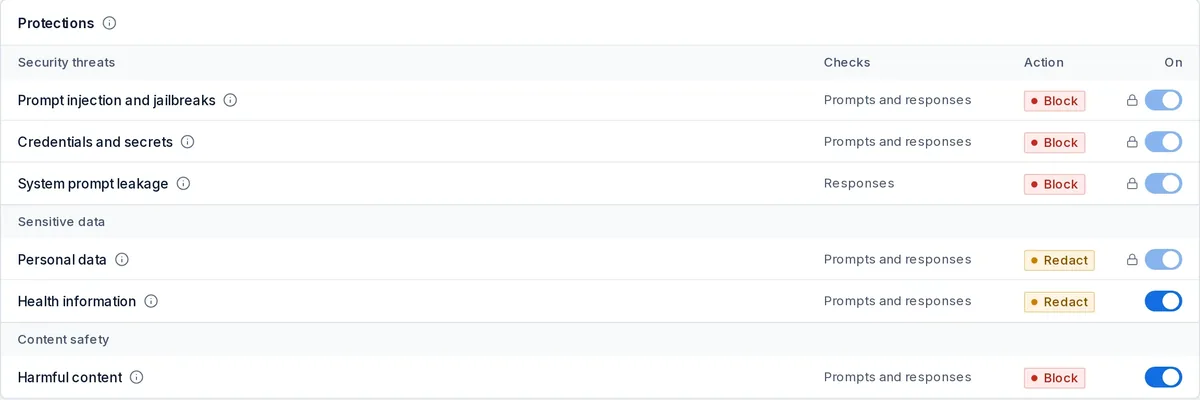
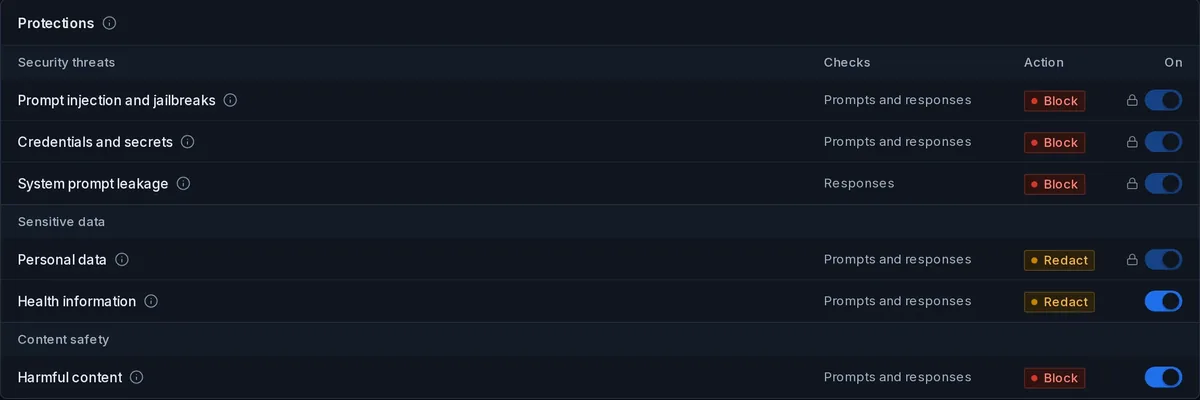
AI Firewall protections. Per-workspace protections: block injection, secrets and harmful content; redact personal and health data.Illustrative synthetic data
01
What it inspects
Input and output of every model call, each chunk of a streamed response, the arguments and results of every MCP tool call, and the messages of every A2A task, inbound and outbound. A document returned by a tool that carries an instruction to the model is inspected exactly like a user prompt, which is where most real injection now arrives.
Prompts and registry-rendered templates before dispatch; responses before the caller.
MCP tool arguments on the way out and tool results on the way back.
A2A task messages inbound from partners and outbound to external agents.
Protections are grouped as security threats, sensitive data and content safety: prompt injection and jailbreaks, credentials and secrets, system prompt leakage, personal data, health information and harmful content. Each is switched on per workspace and given an action: block the request or response, redact the matched spans, or monitor and record a finding. A finding can open a review case in governance with an owner and a due date.
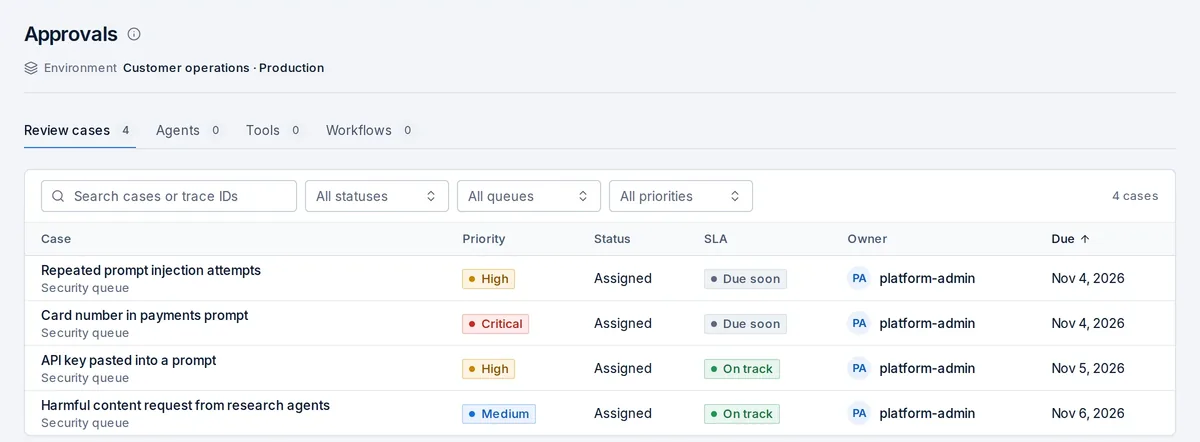
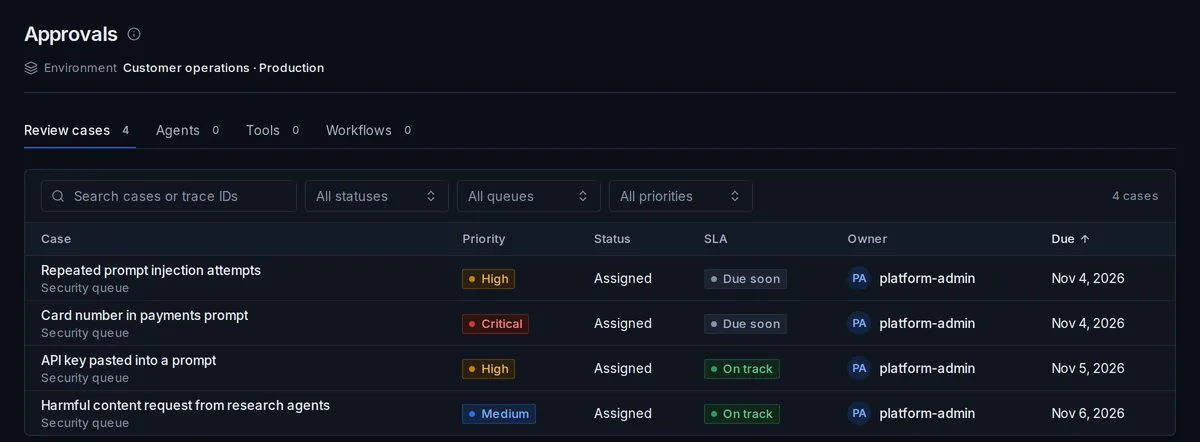
Review cases. A finding opens a review case in governance with a priority, an owner, an SLA and a due date.Illustrative synthetic data
03
LLM DLP
Redaction markerA neutral marker replaces the matched span; the original value is not written to the trace or the ledger.
Data loss prevention for language models means stopping a secret or a person's data at two points: before it reaches a model outside your boundary, and before a model's answer carries it to a caller who should not see it. The firewall redacts matched spans in both directions, records that a redaction happened without storing the redacted value, and leaves a marker in the content so the application knows something was removed. Detection covers credentials and keys, personal identifiers and health information.
04
Streaming inspection and fail-closed holdback
A streamed response is inspected in windows: the gateway holds back enough of the stream to apply a block or a redaction before the client receives the affected chunk. If inspection cannot complete, the stream fails closed rather than passing uninspected content.
05
Signed detection packs
Detection content ships as signed, versioned packs. Your installation verifies each pack and re-signs it under its own keys before loading, so nothing loads on vendor trust alone, and the pack version is reported by every gateway in its signed heartbeat.
You can add external guardrail services, including your own signed webhook, as an extra check. They can refuse what the built-in firewall allows; they can never replace it, and their outcome is recorded alongside the firewall's on the same trace.
07
Findings to review cases
Findings are counted on the AI Firewall activity view and, for the protections you choose, open review cases with a priority, an owner, an SLA and a due date, so a security team works a queue rather than a log.
No detection efficacy, block-rate or false-positive figures are claimed here. Console frames show illustrative synthetic data.
FAQ
Questions this page answers
What is an AI firewall?
An inline inspection layer for model, tool and agent traffic that detects prompt injection, secrets, personal data and harmful content and blocks or redacts it before a provider or a caller receives it. Skyfix runs it inside the gateway on every protocol.
How is an AI firewall different from guardrails?
Guardrails usually mean checks an application adds around a model call. The AI Firewall is enforced by the gateway on every request, including tool and agent traffic, cannot be skipped by the application, and records its outcome in the ledger. External guardrail services can add to it, not replace it.
Does it inspect streaming responses?
Yes, in windows with fail-closed holdback, so a block or redaction applies before the client receives the affected chunk.
Can I add my own guardrail service?
Yes, as a signed webhook or another external guardrail service. It can refuse what the built-in firewall allows and its decision is recorded on the same trace.
How are detection updates delivered?
As signed, versioned detection packs that your installation verifies and re-signs under its own keys before loading, including in restricted networks where packs are uploaded by hand.